


Mira: AI Image & Video
4.010.00 Reviews
App Specs
- Version
- 2.1.2
- Updated On
- License
- Free
- Downloads
- 10,000+
- Developer
- NGMOB PTE LTD
- Categories
- Photography
- Platform
- Android
Screenshots
 Analysis by AppCompare
When I choose a mobile photo app, I first ask what I want to make and how much control I need. A quick, polished image for a message or a short clip for a social post calls for a different tool than careful retouching, layered artwork, or a tightly edited video. Mira: AI Image & Video is aimed at people who want to get from an idea to a visual result without having to write elaborate prompts or learn a complicated editing workflow. That makes it worth considering if speed and approachability matter more to you than precise manual control.
Mira is a free photography app from NGMOB PTE LTD, with a 4.0 average from around 70 ratings and over 10,000 installs. It is rated for Everyone, and version 2.1.2 requires Android 7.0 or later. Those details make it easy to judge whether it fits your device and comfort level, but the more useful question is whether its template-led approach suits the way you create. Some optional purchases are available, ranging from under a dollar to around $110 per item, so I would check the cost shown for any paid option before building a regular workflow around it.
Start with the result you want
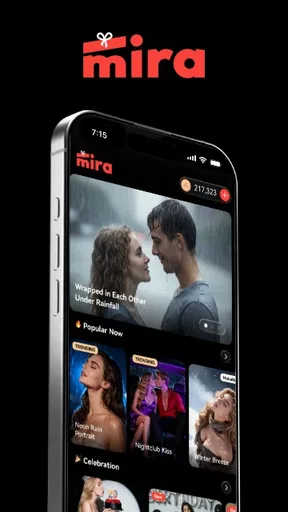
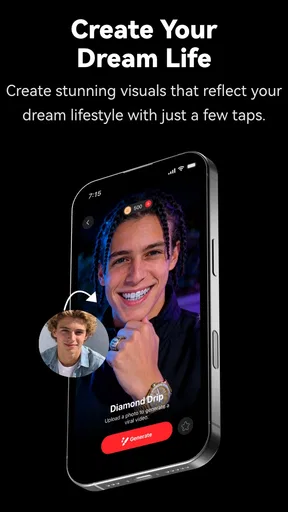
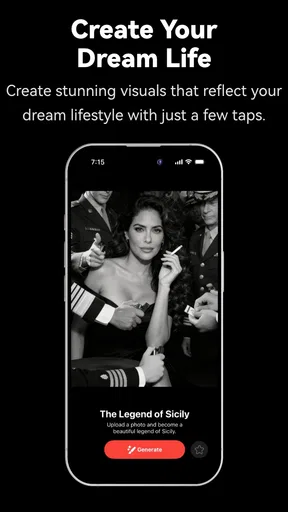
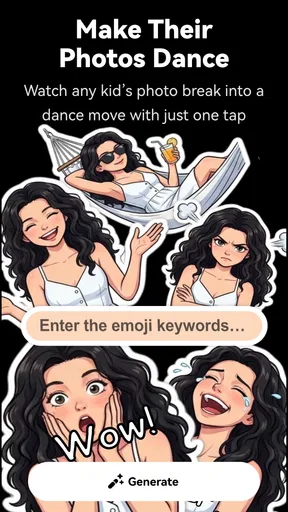
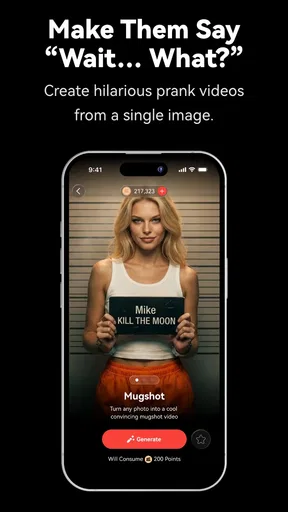
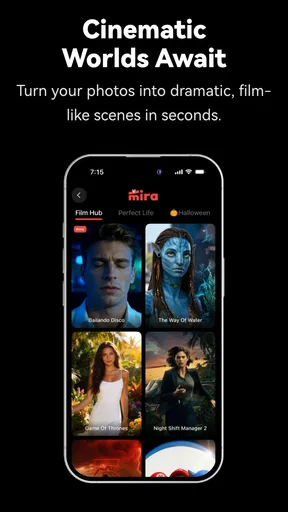
The app’s central appeal is that templates can help shape an image or video without asking you to compose a detailed text prompt. I see that as a practical shortcut for someone who has a general visual idea but does not know how to translate it into technical instructions. Rather than spending the first few minutes guessing which words an AI tool will understand, you can begin with a guided creative direction and decide whether the result is close enough to keep developing.
That convenience has a trade-off: a template gives you a starting point, not a guarantee that the output will match a very specific mental picture. If you need exact composition, consistent details across a series, or careful control over every adjustment, a more hands-on editor may be a better fit. I would treat Mira as a way to explore and produce quick concepts, then move to a dedicated editing app when a project needs exacting corrections.
Where a guided creative workflow helps
I can see Mira being useful when I want a visual for a casual invitation, a themed post, or a small creative experiment and do not want to begin with a blank canvas. It also makes sense for someone who enjoys trying different looks but finds prompt writing a barrier. The template approach lowers that barrier: I can focus on choosing a direction and judging the result rather than learning a prompt formula first.
A realistic use is making a quick image for a family group chat after a day out. I might want something more playful than a plain camera photo, but I would not want to spend the evening adjusting layers or learning a desktop program. A guided AI result can be enough for that kind of low-stakes sharing. For a business logo, a product listing, or a portrait where details must remain faithful, I would be more cautious and use tools designed for precise editing and review.
How it compares with other creative apps
Compared with a conventional photo editor, Mira’s appeal is the shorter path from choosing an idea to seeing an AI-created result. Traditional editors tend to reward deliberate work: cropping, color correction, retouching, and other adjustments are useful when accuracy matters, but they can feel like friction when I only want a quick visual. Template-led AI apps make the opposite compromise. They encourage experimentation and reduce setup, while offering less predictable control over the final details.
Worth Reading Before You Choose

Flipboard Shows What News Apps Must Do Beyond the Feed

Switching to Android Auto Means Rethinking Your Driving Routine

Google Calendar Makes a Crowded Week Easier to Manage

Ludo King Makes the Most of the Minutes Between Plans

Baby Panda World Brings Quick Play to Modern Phones, but Its Game Library Feels Busy

ESPN’s Live Game View Makes Following Close Games Easier
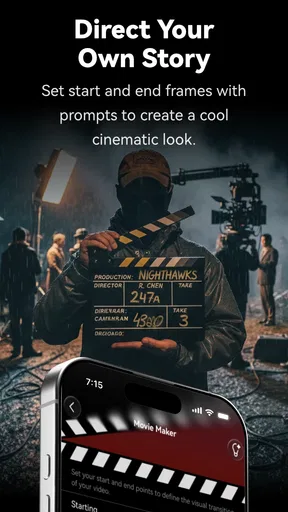
It also occupies a different place from a full video editor. If I need a carefully timed sequence, precise audio edits, or a repeatable export workflow, I would choose an app built around a conventional timeline. Mira’s image-and-video focus is more attractive when I want to explore an idea quickly, not when I need to manage a complex production. The best choice depends less on which app has the longest feature list and more on whether I value speed or hands-on control for this particular project.
What I would check before settling in
Because the app includes in-app purchases, I would look at the available options before making it part of a frequent routine. The free starting point is appealing, but a particular template or creation path may lead to a paid choice, so it is sensible to check the displayed terms at the moment you use it. This is especially useful if you are trying the app with a child or sharing a device: the Everyone age rating is reassuring, while purchase awareness still matters for any app with optional spending.
I would also keep the first experiment small. Try one image idea and one video idea, then ask whether the results are useful enough to justify learning the app’s particular workflow. Save a copy of anything important before experimenting further, and compare the finished result with the original rather than judging it only by the novelty of the effect. That simple check helps me notice when an AI transformation has made a photo more striking but less true to the moment.
A First Glimpse at Mira
Right off the bat, when I first opened Mira: AI Image & Video, I was impressed by how sleek and user-friendly the interface is. It’s like the app is saying, "Hey, I’m powerful, but I’m not going to make you jump through hoops to use me." Everything is laid out intuitively, which is a huge plus if you’re like me and get easily frustrated with clunky interfaces.
Let’s talk features. Mira is packed with AI-driven tools that can transform your images and videos into something that looks professionally edited. Whether you’re looking to enhance colors, adjust lighting, or add some cool effects, this app has got you covered. It’s kind of like having a mini Photoshop right in your pocket, but without needing a degree in graphic design to use it!
Image Editing Made Easy
One of the coolest things about Mira is its AI enhancement feature. I uploaded a few pictures from my latest hike, and the app magically enhanced them with just a tap. Seriously, the difference was night and day. The colors popped, the details sharpened, and I didn’t have to mess around with any sliders. It’s like the app knows exactly what your photos need to look their best.
There are also tons of filters to choose from. If you’re into giving your photos a specific vibe, you’ll be spoiled for choice. I particularly loved the vintage filters – they add such a nostalgic feel to any picture. Plus, you can easily adjust the intensity of each filter, which means you can go as subtle or as bold as you like.
Video Editing on the Go
Now, onto the video editing capabilities. This is where Mira really shines. Editing videos on a phone can often be a nightmare, but not with this app. The AI is brilliant at suggesting edits, like trimming unnecessary parts or enhancing the video’s quality. And if you’re into social media, there are tools to quickly format your videos to fit platforms like Instagram or TikTok.
The app also lets you add music, which is super fun. You can choose from a variety of tracks or import your own. Syncing the music with video cuts is surprisingly easy, making your clips look like they’ve been edited by a pro. I had a blast turning some random footage from a weekend trip into a mini music video.
The Social Sharing Game
Once your masterpiece is ready, sharing it is a breeze. Mira integrates seamlessly with all the major social media platforms. With just a couple of taps, you can show off your creations to your friends and followers. The app even optimizes your files, so you don’t have to worry about them looking pixelated or taking forever to upload.
Another great feature is the collaborative aspect. You can invite friends to edit photos and videos together. It’s a fun way to work on projects, especially if you’re planning a group event or just want to get creative with friends.
Why You’ll Love Mira
So, why should you check out Mira: AI Image & Video? In a nutshell, it’s incredibly easy to use, packed with powerful editing tools, and perfect for anyone who wants to make their photos and videos stand out without the hassle. Whether you’re a beginner or a seasoned content creator, this app is a game-changer.
Plus, the AI tools do most of the heavy lifting for you. You’ll find yourself spending less time fiddling with settings and more time creating. And honestly, who doesn’t want that?
In conclusion, if you’re looking for an app that can elevate your photo and video editing game, Mira is definitely worth a download. It’s like having a professional editing suite in your pocket, and it’s so intuitive that you’ll find yourself diving into new projects with ease. Give it a try and let your creativity run wild!
My bottom line for different creators
I would recommend Mira to casual creators who want to make an image or short video feel more finished without turning the process into a technical project. It is particularly appealing if you like trying visual styles, want a guided start, and are comfortable evaluating AI results rather than expecting every detail to be exact. Beginners can get a feel for creative editing without first mastering a complex set of controls.
I would skip it as my main tool if my work depended on repeatable brand colors, pixel-level retouching, precise typography, or dependable continuity between multiple images. In those cases, a traditional editor gives me clearer control, while a dedicated video editor is the better choice for precise timing and audio work. Mira can still be a useful source of quick ideas, but I would not make it responsible for a final asset that must meet strict production requirements.
One useful habit is to decide what “finished” means before opening the app. For a playful post, an expressive result may be more valuable than perfect realism; for a family keepsake, preserving faces and the feel of the original scene may matter more. That distinction keeps me from accepting an eye-catching change simply because it looks dramatic. I also prefer to compare more than one treatment of the same subject when I am unsure which direction works, rather than committing to the first result out of convenience.
Small workflow choices that save frustration
When I am working from a batch of photos, I would first pick one representative image instead of processing everything at once. It lets me see whether the app’s look suits the subject before I invest time in the rest. A bright outdoor photo, a dim indoor picture, and a close portrait can respond very differently to the same creative treatment, so a quick test is more useful than assuming one successful result will translate to every image.
For video, I would decide on the audience and destination before choosing an edit. A clip meant for friends can tolerate a more playful style, while footage intended to explain something clearly should keep attention on the subject rather than on effects. If I am adding music, I listen once with the sound on and once imagining the clip played silently; that helps me judge whether the visuals still communicate without relying on the soundtrack.
Sharing is convenient, but I would still review the final file before posting. Check that the important subject is visible, that the chosen crop has not cut off a face or detail, and that the soundtrack fits the moment. Automatic preparation can make sharing easier, yet it cannot make the creative decision for me. For anything personal, I would also be selective about what I choose to share and with whom, as I would with any photo or video app.
Questions worth settling during a first try
Can I use it without writing prompts? That is the clearest reason to try Mira: its template-oriented approach is designed to make AI creation accessible without relying on elaborate instructions. Will it replace a conventional editor? I would not expect that; it is better viewed as a quick creative route, while detailed correction and tightly controlled production call for more specialized tools.
Is it a sensible choice for everyday social content? It can be, especially when I want to make a casual image or clip feel more distinctive and do not need exact output. Should I expect every generated result to be ready to publish? No. I would inspect it for unwanted changes and make sure it suits the purpose, particularly when the image needs to represent a real person, place, or product accurately.
Is there a cost to trying it? Mira is free to start, with optional in-app purchases; I would check the price attached to any item before choosing it. Does it suit an older Android phone? It supports Android 7.0 and later, though the age of a device alone does not tell me how smoothly an AI workflow will feel. I would test a modest project first and decide based on the experience on my own device.
A practical recommendation
For me, Mira is most worthwhile when I want creative momentum: a quick way to explore a look, make an ordinary picture feel more expressive, or turn casual footage into something shareable. Its templates and AI-led approach are the draw, while the need to judge each result and the optional purchases are reasons to try it thoughtfully rather than assume it will suit every project.
If that balance sounds right, I would start with one low-stakes photo and a short video, compare the results with what I could make in my usual editor, and keep using Mira only if it genuinely saves effort or sparks ideas. If precision, consistency, or detailed timeline control matters more, I would choose a specialized editor instead. That is the clearest way to decide whether this app belongs in your creative routine: use it for the kind of work it makes easier, and let your own results—not the promise of AI—settle the question.
Pros
- Intuitive user interface makes navigation easy.
- Offers a variety of creative editing tools.
- Supports high-resolution exports for quality output.
- Seamless integration with social media platforms.
- Frequent updates with new features and improvements.
Cons
- In-app purchases can be quite costly.
- Requires a stable internet connection for optimal use.
- Occasional lags on older devices.
- Limited free version features.
- Some tools have a steep learning curve.
FAQs for Mira: AI Image & Video
What is Mira: AI Image & Video, and how does it work?
Mira: AI Image & Video is an advanced application designed to enhance and edit images and videos using artificial intelligence. It provides users with tools for automatic enhancements, style transfers, and special effects. The app uses AI algorithms to analyze media and apply adjustments that improve the overall quality and aesthetics.
Is Mira: AI Image & Video free to use, or are there in-app purchases?
Mira is free to download and offers a range of basic features at no cost. However, for advanced editing tools and effects, users may need to make in-app purchases or subscribe to a premium version. This structure allows users to try the app’s core functionalities before deciding to invest in additional features.
What kind of devices is Mira: AI Image & Video compatible with?
Mira: AI Image & Video is available for both Android and iOS devices. It requires a stable operating system, typically Android 8.0 or later and iOS 12.0 or later. It is recommended to have a device with good processing power to handle AI-based functionalities smoothly.
How does Mira ensure user privacy and data security?
Mira places a strong emphasis on user privacy and data security. The app ensures that personal data is encrypted and not shared with third parties without consent. Users can review the privacy policy within the app to understand how their data is managed and what measures are in place to protect it.
Can Mira: AI Image & Video edit both photos and videos effectively?
Yes, Mira is designed to handle both photos and videos with equal efficiency. The AI algorithms are optimized to provide high-quality edits and enhancements across different media types, allowing users to apply filters, effects, and corrections seamlessly, whether they are working on static images or dynamic video content.


